
spearly logo

Fast, secure,
and stable website delivery,
overwhelmingly easy and quick

Spearly CLOUD is static site hosting built as the delivery side of Spearly CMS. Account and team are shared with the CMS, and members are free on every plan. An API and a CLI for driving CLOUD are available today; MCP support is planned. Spearly CMS already speaks MCP.

See pricing
Why Spearly CLOUD

CMS and hosting on one account.

Pick Spearly for the CMS and another service for hosting, and you end up with two logins and two team lists. Spearly CLOUD runs on the same account and the same team as Spearly CMS. The people who edit content and the system that serves the site are in one place.

  • One login. Your CMS team is your CLOUD team
  • Plans are per service. Pick only what you need for CMS and CLOUD
  • CMS content served straight from CLOUD

Add people. The price stays the same.

Members are unlimited on every plan. Invite agency staff, clients and outside engineers without adding a line to the bill.

On Basic, ten people or a hundred: ¥5,280 a month, tax included.

Let an agent build it as many times as it takes.

An API and a CLI for driving CLOUD are available on every plan. MCP support is planned. Nothing is billed per deploy or per seat, so an AI agent can rebuild and fix a site over and over without the count itself reaching your bill. Metered billing applies only to bandwidth and build minutes beyond your plan’s limit.

No per-deploy charge. No per-seat charge.

Pricing

Try on Free. Pick a plan when you publish.

Free is for trying things out. To publish on your own domain, start from Starter. Plans differ mainly in sites and custom domains; members, the API and the CLI are the same on every plan. MCP support is planned.

Spearly CLOUD plan comparison
Free¥0/month
NewStarter¥1,650/monthincl. tax (¥1,500 excl.)
Basic¥5,280/monthincl. tax (¥4,800 excl.)
Professional¥16,280/monthincl. tax (¥14,800 excl.)
Enterprise¥66,000〜/monthincl. tax (¥60,000+ excl.)
MembersUnlimitedUnlimitedUnlimitedUnlimitedUnlimited
Sites131050Unlimited
Custom domains01520Unlimited
APIIncludedIncludedIncludedIncludedIncluded

Bandwidth and build minutes used are visible in the dashboard at any time.

See full pricing, including limits and overage

Git integration

Build/deploy in 3 steps

STEP-1

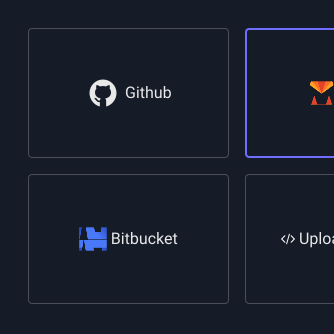
GitHub integration

Link your GitHub account and select the repository to deploy (*Other Git services will be supported in due course)
STEP-2

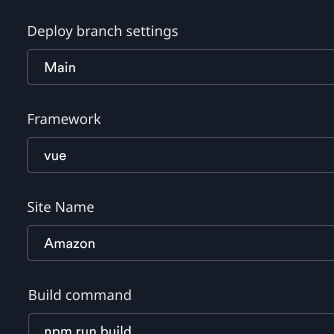
Build information settings

Set build information for the site.
You can select the JS framework and branch, and specify the build command.
STEP-3

Push to branch

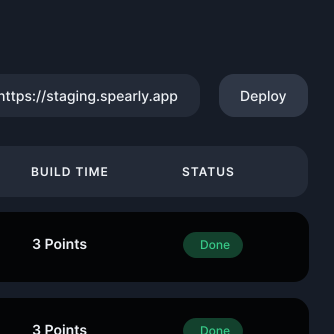
Push is detected and the site is automatically deployed. A URL is automatically assigned and can be checked immediately.
Works with the frameworks you already use
Features

Improved management, security, and speed

Feature-1

Team collaboration

Even if you are not a user of this service, if you have permissions to the repository, you can deploy the site when pushing. Invited team members can check the deployment status on Spearly Cloud.

Feature-2

Security

Serving your site as static files greatly reduces the risk of tampering or data leaks through server-side vulnerabilities. You can also require authentication to reach sites you have set to private.

Feature-3

Stability and Speed

You can achieve stability and high-speed delivery using CDN. You can quickly access the site from anywhere in the world.

Feature-4

Custom Domain

Simply add two records to your DNS and your domain will be serving your site in no time.

Function list

tailored to your project
Provide usage instructions

GitHub integration

By linking with GitHub, you can automatically deploy after pushing.

Own domain

You can also set your own domain.

Dynamic sites are also possible by linking with SpearlyCMS

By linking with SpearlyCMS, you can easily create blog posts and inquiry forms. We will continue to release features that will make using SpearlyCMS and SpearlyCLOUD even more convenient.

Functions to be released next

Drag and Drop Deployment

You can create and deploy a site just by dropping an HTML file. You can get started without a Git repository.

Webhook

We will notify you via webhook when the deployment is complete.

Schedule Deployment

Enables you to make a private site that you have deployed and confirmed in advance public at a scheduled time.

SSR, SSG

Not just static site hosting! It will also support SSR in Nuxt and Next. It can be implemented without using a database.

Frequently asked questions

See the pricing update notice for the details. Below are the questions we are asked most often.

Will there still be a free plan after the pricing update?

Yes. The Free plan (¥0) stays. It covers one site, 5 GB of bandwidth and 30 build minutes a month, without a custom domain. When a limit is reached the site is paused instead of being billed. It is meant for trying things out; to publish on your own domain, pick Starter or above.

What happens when I go over a limit (sites, domains, bandwidth)?

Sites and custom domains are plan allowances, so you move up a plan to get more. For bandwidth and build minutes, the Free plan pauses the site at the limit, while paid plans keep running and bill the overage (bandwidth: ¥40 per GB on Starter and Basic, ¥35 on Professional, ¥30 on Enterprise; build time: ¥5 per minute, ¥4 on Enterprise; all rates are before tax, which is added once to the invoice total).

Where can I see how much bandwidth I have used?

The usage screen in the dashboard shows bandwidth and build minutes used at any time.

On a paid plan, does my site go down when I exceed a limit?

No. Delivery continues and only the overage is billed. Only the Free plan pauses a site.

How many custom domains can I set up?

Starter allows 1, Basic 5, Professional 20 and Enterprise has no limit. Custom domains are not available on Free. Setup is two records in your DNS.

Which frameworks are supported?

Any framework that can produce a static build, including Next.js, Nuxt, Vue, React, Gatsby, Svelte and Angular. SSR with Nuxt and Next is planned.

Can I use a Git service other than GitHub?

GitHub is supported today. Other Git services are planned.

What do I get by combining it with Spearly CMS?

You can serve Spearly CMS content directly and build blogs and contact forms on top. Account and team are shared with the CMS, so there is one login (each service is billed separately). The CMS side supports MCP, so an AI agent can read and write content there and have CLOUD serve the result.

Can I change or cancel my plan?

You can move up or down a plan from the dashboard, and cancel at any time.

How many team members can I invite?

There is no limit on any plan, and no per-member charge.

I already use Spearly CLOUD. What happens to my bill?

As we announced on 26 October 2026: if you are on the free plan, there is a grace period until 30 November 2026. After it ends, the new Free plan applies — one site, 5 GB of bandwidth and 30 build minutes a month, and no custom domain. If you are over the limits, sites are unpublished newest first (a site with a custom domain loses its spearly.site URL too). Get back within the limits or move to a paid plan and publishing resumes automatically. Your data is kept. Teams that had no site before 12 November 2026 are on it from that day. If you are on a paid plan, you move across to the new pricing automatically, with nothing for you to do. If you are already above a limit on the new plan, none of your sites or custom domains go away — you simply cannot add more until you are back within the limit.

Are Spearly CMS and Spearly CLOUD billed separately?

Yes. You pick a plan for each service, and each one is invoiced separately. The account and the team are shared, so there is still one login.

Start by putting one site on Free.

Signing up for Free costs nothing. When you publish, pick a plan by the number of sites and custom domains.

Manage your content with Spearly too:See Spearly CMS